
General
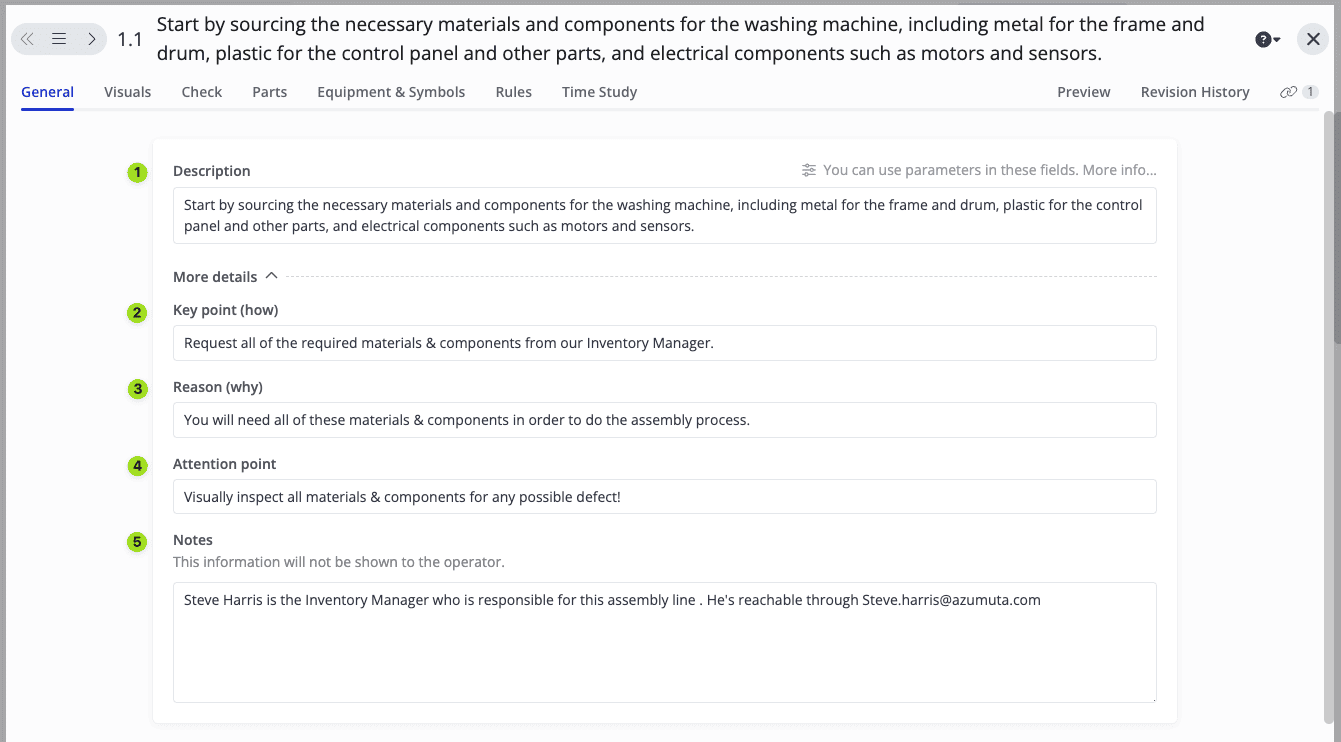
The General Tab is where you input all relevant text-based information for each instruction step.
- Description: The title of the instruction step.
- Key point: How the operator should execute the work instruction step.
- Reason: Why the operator should execute the work instruction step.
- Attention point: Any relevant information that the operator should be aware of.
- Notes: This section is not visible to the operators and is only visible to you and other admins on your workspace. It’s generally used to relay information relevant to fellow admins but not to operators.
Filling in Content for Multiple Languages
If your workspace has more than one language enabled, Description, Key point, Reason, and Attention point each show one input field per language, with the language name to the left of the field. Fill in the translation for each language you need. Notes is not translated, since it’s only ever shown to admins.
Operators will see the version of the text that matches their own interface language.
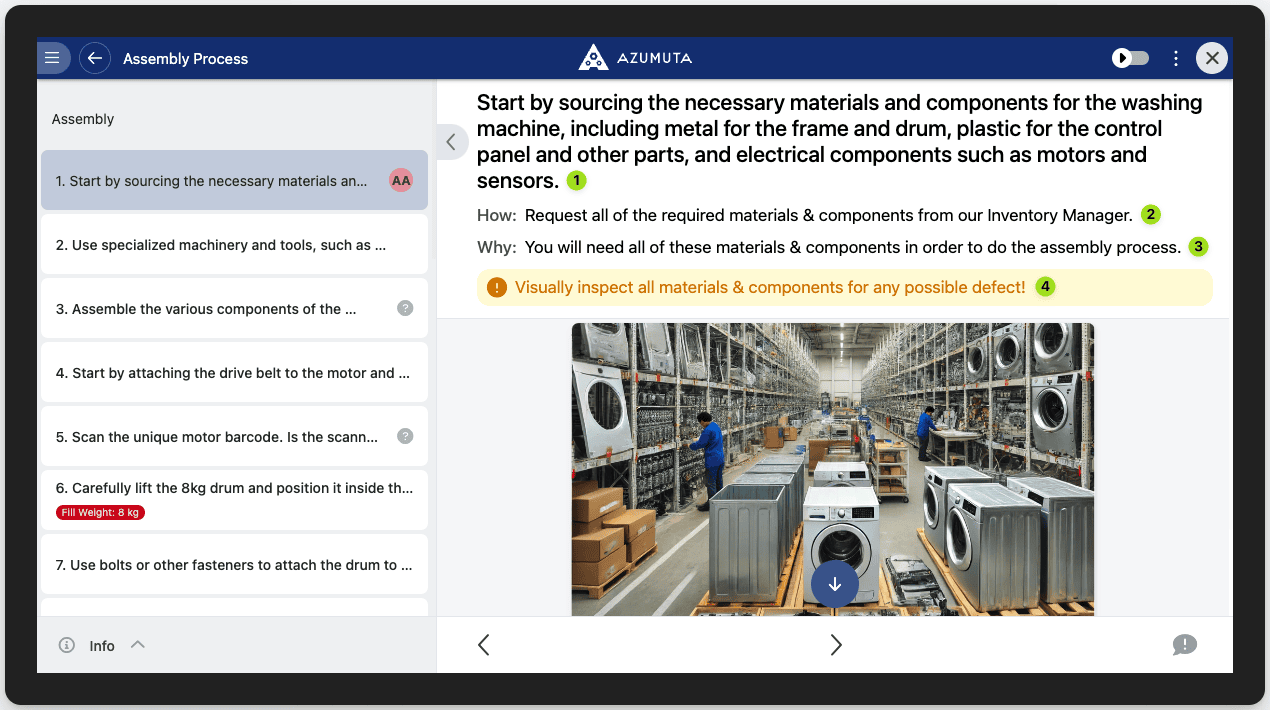
And this is how it will appear on the operator’s screen:
On this page