Parts
You can increase the precision of your work instructions by explicitly stating which parts your operators should use when assembling a product.
Adding a New Part to Your Parts Library
- Go to Management in the sidebar of the home page.
- Click Resources.
- Click the Parts tab.
- Click the yellow plus button to add a part.
- Fill in the part number and description of the part. The other fields are optional.
- Confirm by clicking Add.
- The new part will now appear among the other existing parts in your library.
Adding a Required Part for Assembly to a Work Instruction Step
- Navigate to the work instruction step where you would like to add a part.
- Click the Parts tab.
- Click Select parts.
- Tick the required part.
- Click Select.
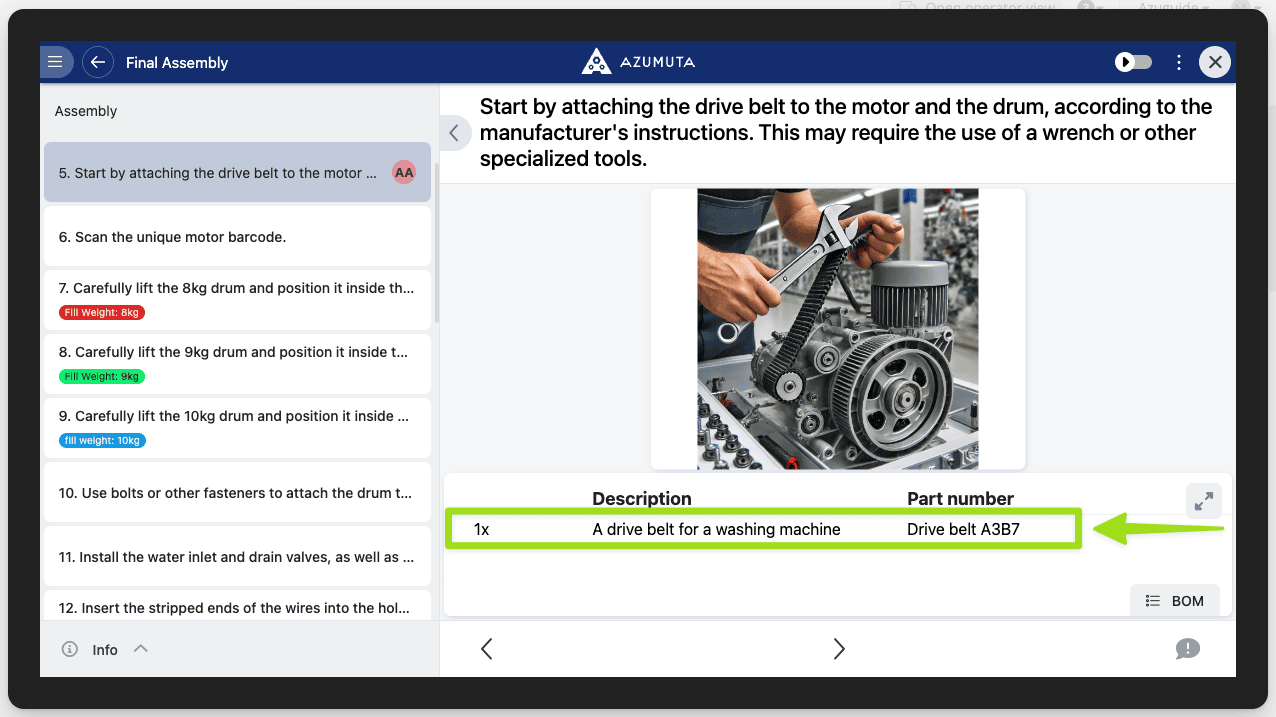
This is how it will appear on the operator view: