
Skill Matrix: The Basics
Note: In order to use any of the features in the Skill Matrix & Trainings chapter, you will need to have access to the Skill Matrix & Trainings module. You can reach us out through sales@azumuta.com to learn more.
What Is a Skill Matrix?
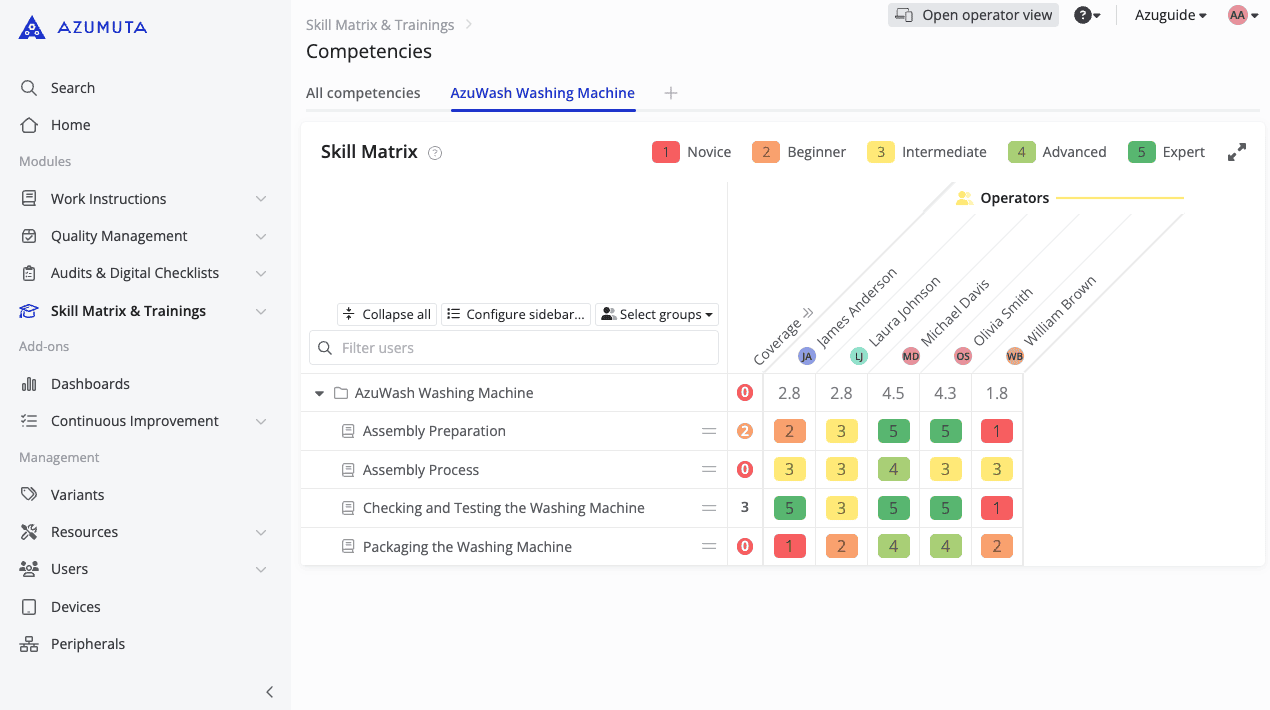
A skill matrix is a visual tool used by organizations to map out the skills of their employees. It helps in identifying the current capabilities within a team, highlighting skill gaps, and supports your employee development plans. By categorizing skills and rating proficiency levels, a skill matrix is a helpful tool to manage your workforce and ensure that the right tasks are given to the right employees.
Where Can You Find a Skill Matrix?
Since a skill matrix is an extremely handy tool that can be used for various purposes, we included a skill matrix across various Azumuta functionalities. You can find a skill matrix by clicking on:
- The Skill Matrix & Trainings module
- Training Procedures (under the Skill Matrix & Training module)
- The Work Instructions module
- Quality Procedures (under the Quality Management module)
- Audit Procedures (under the Audits & Digital Checklists module)
- Any folder (regardless of the module)
- Any work instruction (including audit work instructions and training work instructions)
- Any article category
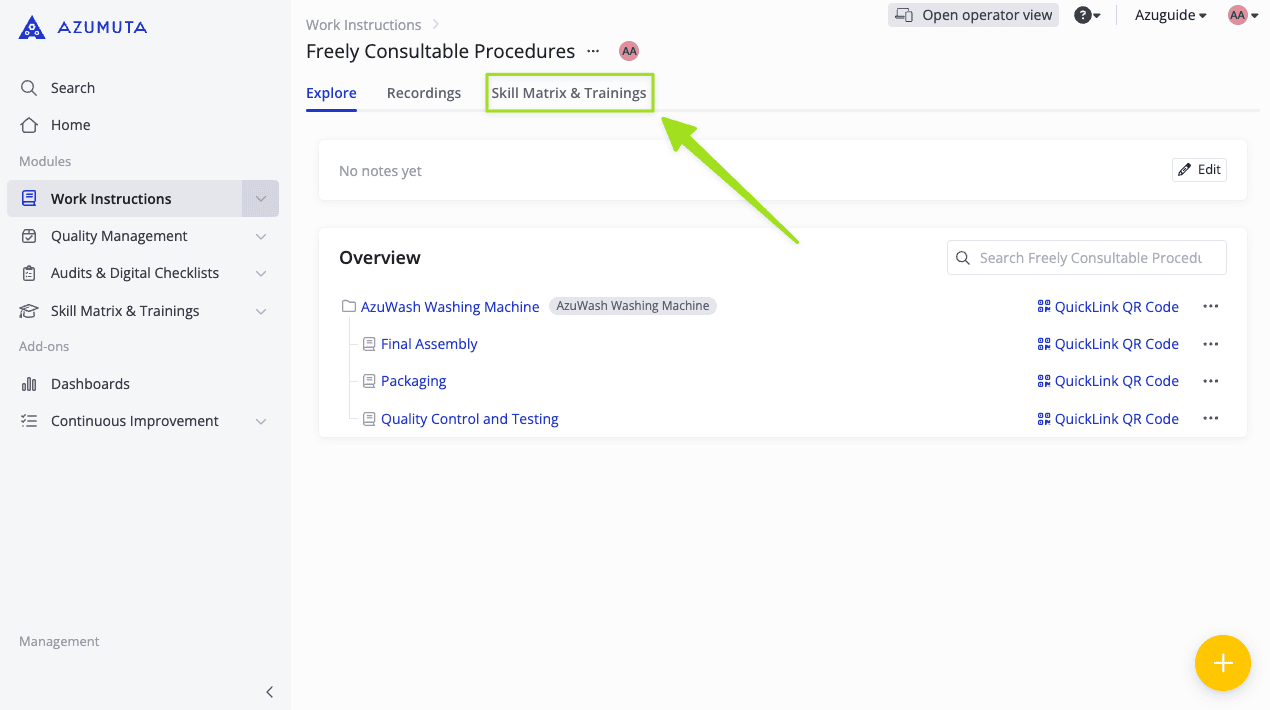
To find a skill matrix in any of the locations above, click the Skill Matrix & Trainings tab at the top of your screen.
What Information Does the Skill Matrix Include?
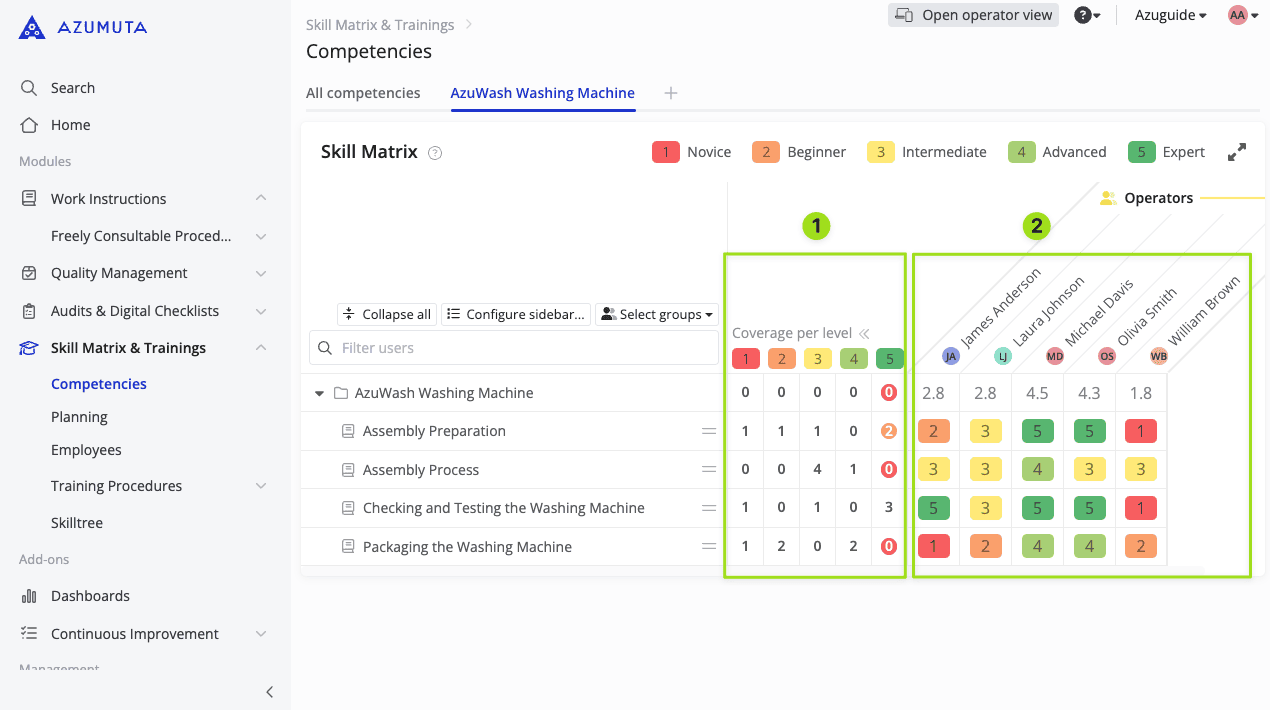
The competency matrix includes 2 categories of information:
- Coverage per level: This lists the number of operators at a given level for a given process (work instruction) based on the competencies assigned per operator.
- Competency level per operator: This lists the competency level of an operator for a given process (work instruction).
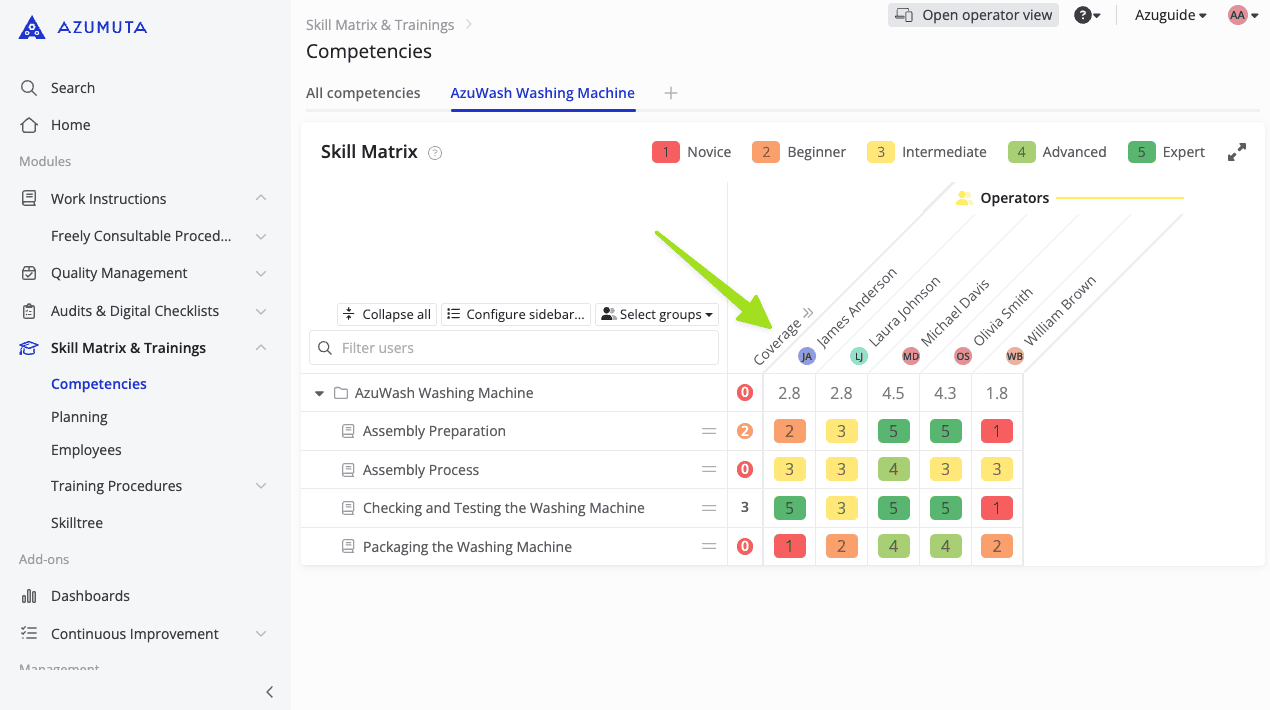
Note: To open the "Coverage per level" view, you need to click Coverage, as shown below.
Skill Matrix Settings
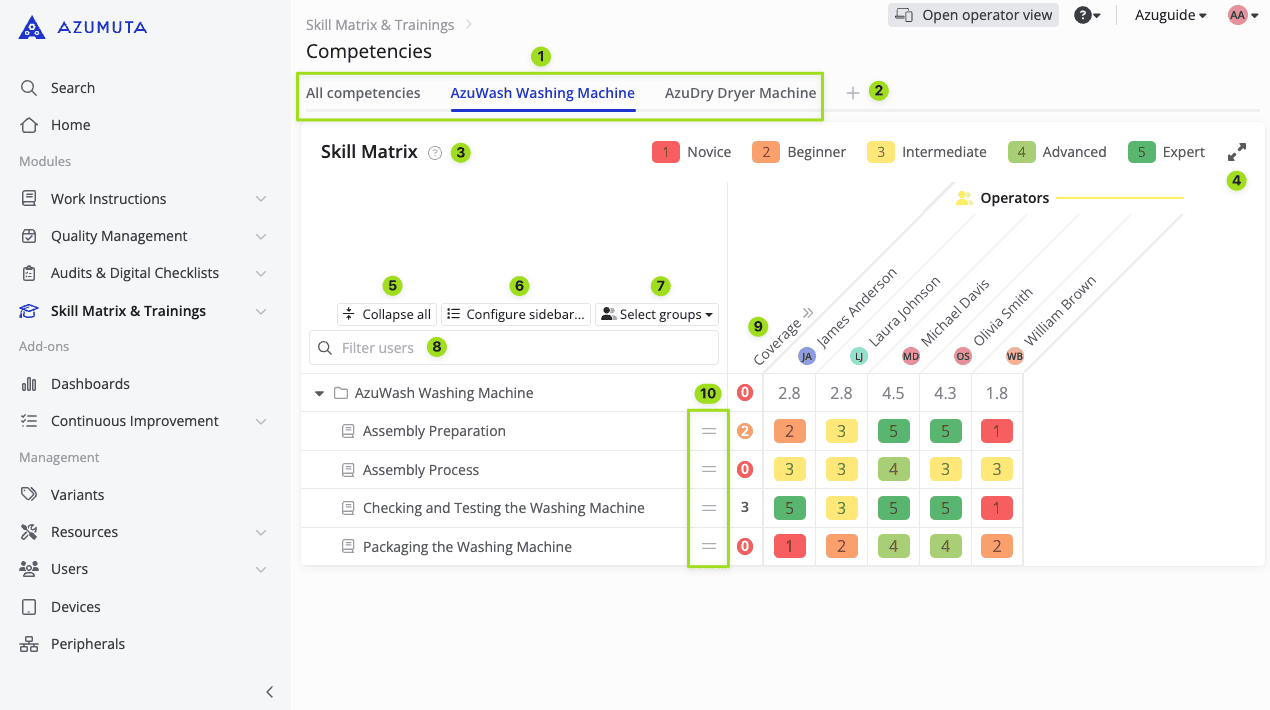
- These are the existing skill matrix tabs. Click the tab name to switch to that skill matrix tab.
- Click the plus button to add a new skill matrix tab.
- Click the question mark to read our guides on how to use a skill matrix.
- Click to maximize the skill matrix view. Click it again to minimize the view.
- Click to collapse all folders. When all folders have been collapsed, you can click it again to expand all folders.
- Click to choose which work instructions (as well as their parent folder and module) to display on this skill matrix tab.
- Click to choose the user group to display on this skill matrix tab.
- Use this tool to look for one specific employee on this skill matrix tab.
- Click to open the Coverage per level view.
- By clicking an icon there, you can select which work instructions are more important and which ones are less important.
Tip: On a skill matrix tab, if you click the name of a folder, then you will be redirected to the page of that folder. If you click a work instruction, then you will be redirected to the page of that work instruction. While if you click an employee's name, then you be redirected to their personal profile page.
Plan a training activity from a skill matrix
Most users generally schedule a training activity from the planning tool. However, you can also plan it directly from a skill matrix. Here are the steps to do so:
- Click Skill Matrix & Trainings.
- Click Competencies.
- Select the targeted skill matrix tab.
- Click the ⋮ (three-dot) icon next to the work instruction that will be used as the training material.
- Select which user category will participate in this training.
- On the Plan training menu, you can configure the training details.
- When you’re done, click Add.
Afterward, the training activity will be automatically scheduled on the planning tool.
See mandatory training indicator on a work instruction to learn more about the mandatory training indicator (the red dots on a skill matrix).
How a Competency Was Obtained (Training Source)
Each competency training entry records how that level was obtained. The source appears next to the entry in history, so you can see who trained an operator and how — useful for audits and day-to-day follow-up.
There are four sources, shown with these exact labels:
| Source label | What it means |
|---|---|
| Training by [trainer name] | A planned training that finished with a trainer, who set (or confirmed) the level. |
| Training without trainer | A planned training finished without a trainer (for example self-training). |
| Review during product order [product identifier] | The operator acknowledged an updated work instruction while finishing a product order (including review training mode); the product identifier links to that product. |
| Manual update by [updater name] | An admin (or other authorized user) set or changed the level directly on the skill matrix. |
Where to See the Source
You can open the same history from two places:
From a skill matrix cell
- Open the skill matrix tab that shows the operator and work instruction.
- Click the competency cell.
- Choose View history....
- The Competency history modal lists past entries for that cell, each with its source.
From an employee profile
- Open Skill Matrix & Trainings → Employees.
- Open the employee's personal profile.
- In Past trainings, each entry shows its source the same way.
See how to view an employee's personal profile page and how to input the competency level of an employee for related steps.